External links (Enterprise add-on)

You can configure how OpenProject handles external links in formatted text (for example, project descriptions, comments, or wiki content). When enabled, external links will be intercepted and users will see a warning page before leaving the application. This helps reduce the risk of users unknowingly opening unsafe websites.
Enable external link capture
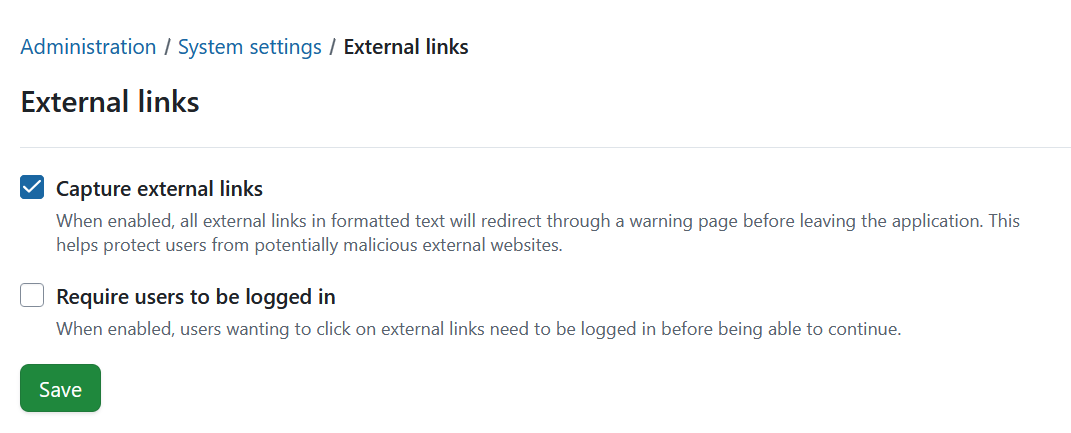
To enable the Capture external links setting navigate to Administration → System settings → External links. Here you can enable the following settings:
- Capture external links: when this option is turned on, all outbound links in formatted text will first lead to a warning page before users leave the application.
- Require users to be logged in: when enabled, users must sign in before they can proceed to any external website.
Don’t forget to save your changes.
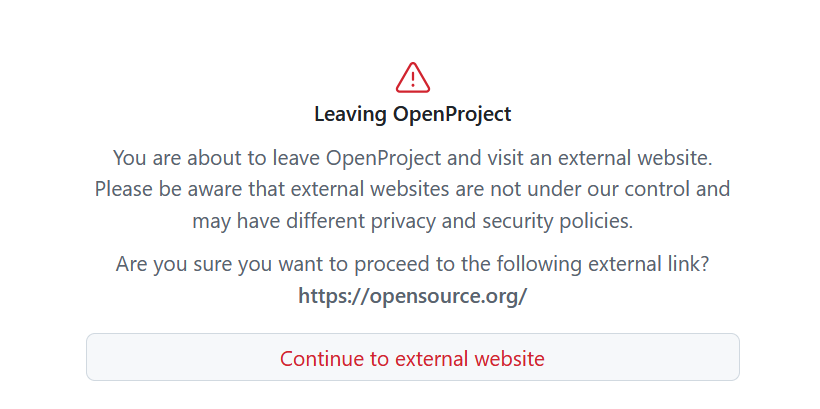
Once Capturing external links is enabled, OpenProject will redirect external links in formatted text through a warning page. Here is an example of a warning page:
If the requirement to be logged in is activated and users are not logged in, they will first be redirected to the login page.
What is an external link?
Links are considered external if they:
- Are not relative (don’t point to the same server or application context), and
- Do not start with the configured protocol and host name of your OpenProject instance.